Issues with Installing on VMware ESXi
According to the official reports from VMware, Windows 8 / Windows Server 2012 are fully supported only in version ESXi 5.1. Support for preview versions of these systems was added in ESXi 5.0 Update 1. I don't have access to these versions, so I first tried to perform the installation in version ESXi 5.0.0, 474610. And I ran into a problem, right after starting the installation from the media, a (blue ;-) screen with the text Your PC ran into a problem and needs to restart appears.

No amount of fiddling with the virtual machine settings helped. But everything was resolved by installing a single patch, specifically VMware ESXi 5.0, Patch Release ESXi500-201112001, which upgrades ESXi to version 5.0.0, 515841.
Installing the Server
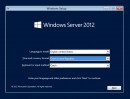
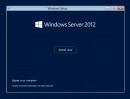
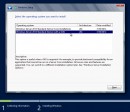
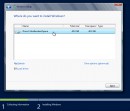
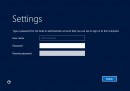
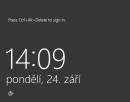
The entire installation is simple. At the beginning, a few basic parameters are entered. One of them is unfortunately the Product Key. And the installation then proceeds on its own and quite quickly. The next step is then configuring the system itself. It's important to note that the server name is not set during the installation, it is generated automatically (so the first thing is often to rename the server). Images of the installation process are shown below.





Windows server 2012 je fakt hroznej. Chápu že se Windows 8 se Microsft chce přiblížit uživatelům a mobilním dotykovým zařízením a vše zjednodušit. Ale nemyslím si, že to je správný krok u serverového a administrátorského prostředí. A oproti Windows 2008 je to docela velký skok.
respond to [1]Martin Chmelař: Záleží také na tom, jak si to člověk uzpůsobí. Osobně jsem zásadně proti metru (mimo tablety). Ale Windows 8 jsem si také nastavil tak, že vypadají téměř jako Windows XP - mám klasické Start menu, vypnuté všechny efekty, standardní lištu ....
respond to [1]Martin Chmelař: I když pravda, štvou mne některé věci, které nejdou přepnout a jsou udělané napůl. Třeba, když se vedle hodin klikne na sítě, tak se nejprve objeví nějaké nové okno a v detailech je pak to samé jako ve Windows 7.
Osobně mě Metro na Windows Serveru baví víc, než na klientském PC (kde mě štve, na rozdíl od tabletu a mobilu). Proč? Protože v momentě, kdy se připojím k serveru přes RDP z tabletu (třeba večer od telky), tak je super, pokud mám v Metru samé admin nástroje. To je potom jiná práce.. ;)
respond to [4]Martin Pavlis: Já si začal hrát se serverem 2012 až teď. S těma admin nástrojema to nechápu. V metru jsou pouze odkazy (naprosto stejné jako ikony na desktopu u starších systémů), které spustí úplně běžnou aplikaci nebo okno se zástupci (třeba u Administrative Tools) jako v 2003kách.
Nikde tam nevidím nic, co by bylo vhodné pro dotykové ovládání. A také tam nevidím vůbec žádný rozdíl oproti desktopu.