
Note: The article contains technical facts (features, technologies, parameters), but the assessment of advantages and disadvantages is my personal (subjective) view.
Backup Repository
Basic Hardware Requirements
I remember the times when inexpensive storage was often used for storing backups, where capacity was the main concern. Solutions with high capacity but low speed and price were utilized. Often some old hardware was used. The goal was to store data (backups) within a reasonable time (optimized for sequential writing). But recovery time, which could take days or even weeks, wasn't much of a concern. In practice, usually only a small portion of data was restored, so it was completed in a reasonable time.
Today the situation is different. It's important that we can retrieve/use data as quickly as possible when needed. Much more data and systems are backed up, mostly we back up entire VMs. In case of a cyber attack, it may be necessary to restore large amounts of data/VMs at once. Therefore, modern and powerful hardware is used for backup and backup storage. In larger environments, it's necessary to use Enterprise systems, not cheap NAS storage whose reliability is significantly lower.
Cloud vs. On-Premises
We can also store backups directly in cloud storage. I hold the opinion that primary backups should be located within the company (On-Premises) close to the source. This allows for efficient backup and quick recovery. For Disaster Recovery, we should have another copy of backups located in a different location. This could be a branch office, data center, or cloud service.
In this article, we'll focus on solutions that we can operate On-Premises in our data center. We're not addressing the situation of companies that use only cloud environments.
Security
As we've mentioned, storage must be sufficiently powerful to quickly write and read data. It must be available when we need it (thus high-quality with redundant elements). And it must also be secure, both in its architecture and elements, as well as in data storage. Here we address security over the network, meaning what options we (or an attacker) have with remote access. Physical security (if someone removes disks or takes the entire device) is a separate chapter. The term resilience is also newly used.
Storage must enable access control. But we cannot rely solely on that, so data encryption is necessary. Most modern storage systems support encryption at the device level, but we can also use encryption directly in Veeam. We described this in Veeam Backup & Replication - How to Encrypt Backups. The question always is where the encryption/decryption keys are stored and compromise of which system would allow an attacker access to encrypted data.
Besides protecting data from theft, we also need to protect it from deletion or modification. The support for Immutability is becoming standard today, so that data is protected against Ransomware attacks (Ransomware-proof). We described this in Veeam Backup & Replication - Immutable Repositories and Secure Backups.
Types of Storage Supporting Immutability
In Veeam Backup & Replication, we can use several different types of storage that support some form of Immutability and Veeam can utilize it.
- Veeam Hardened Repository - standard physical server, Linux OS with XFS filesystem using Immutable flag and hardening, Veeam system services
- Object Storage Repositories - special HW Appliance or standard physical server, OS/SW, support for S3 API with Object Lock (On-Premises S3 Compatible Object Storage)
- Deduplicating Storage Appliances - special HW Appliance and SW, performs HW accelerated data deduplication
Note: Immutability can also be addressed by technologies on file, block storage (disk arrays), such as NetApp ONTAP SnapLock or HPE Virtual Lock. However, they are currently not supported in Veeam Backup & Replication.

Examples of Individual Products
Veeam Hardened Repository- HPE ProLiant DL380 Gen11, HPE Alletra Storage 4140Object Storage Repositories- object-only - Object First OOTBI, Pure Storage FlashBlade, NetApp StorageGRID, Cloudian HyperStore, HPE Alletra Storage Servers + Scality ARTESCA
- hybrid - NetApp ONTAP
- software-defined - Scality ARTESCA, Scality RING
Deduplicating Storage Appliances- HPE StoreOnce, Dell PowerProtect Data Domain, ExaGrid EX Series, Fujitsu CS800, Quantum DXi Series, Infinidat InfiniGuard
Veeam Hardened Repository (VHR)
We will consider prepared Veeam Hardened Repository ISO, otherwise known as Managed Hardened Repository. This is a specialized form of storage built on Rocky Linux. For operation, we need a physical server with local disks. Generally, it can be any hardware with sufficient performance and disk space, but it should be on the Red Hat compatibility list.
We must adequately secure the server so that an attacker cannot access the lower layer. If they get into the system as root, they can bypass immutability. If they gain access to disk management (for example through iLO), they can delete them.
Features
- operating system - Rocky Linux, hardened according to DISA STIG, managed/updated by Veeam
- Immutability - based on the XFS file system and use of Immutable flag attribute
- data is stored on block storage, must be local disks or DAS, requirement is HW RAID controller with write-back cache, RAID 6/60 is recommended for data, one disk is used for the system (RAID 1), an LVM volume is created from the others
- built-in system time change detection (time shift)
- data transfer between Veeam Proxy and storage occurs via TLS 1.3 within a proprietary Veeam protocol through one TCP/IP port to Veeam Data Mover
- we can use Veeam deduplication, compression, and encryption
Advantages
- it is software-defined storage, so we can choose our own hardware
- uses Forward Incremental Backup Chain, we know exactly how long data is immutable (the entire Backup Chain has the same date)
- Restore Points are stored as regular files, we can copy them and work with them
- single-use credentials are used, which are not stored in Veeam configuration
- disabled SSH access, no access to
rootaccount - support for Fast Clone, saves space and time when creating synthetic full backups
Disadvantages
- we must secure the physical server, disable remote management (IPMI) and address server health monitoring
- split responsibility for hardware (server manufacturer) and operating system (Veeam)
- hardware (disk) management has no connection to data; if someone gets access to disk subsystem management, they can physically remove data even if backups are immutable
- storage space management (volumes and disks) is not available as we are accustomed to with storage systems
- can be used exclusively with Veeam Backup & Replication
Object Storage Repositories
- What is Object Storage?
- How Veeam works with Object Storage and leveraging Immutability
- Veeam Backup & Replication - Object Storage Repository and Immutability
- Veeam Backup & Replication - Wasabi as an Object Backup Repository
Object storage is a modern type of storage that stores data as objects instead of files or blocks. It supports new technologies and protocols. It can be deployed in various forms, from hardware devices to software-defined solutions.
Types of object storage
- Hardware appliance (dedicated HW) - specialized device that serves exclusively as object storage, for example Object First Ootbi
- Software-defined object storage - software installation on any server (physical/virtual), for example Scality ARTESCA
- Hybrid (combined) systems - storage (Appliance) supporting multiple protocols - block, file, and object, for example NetApp ONTAP
Note: The classification of object storage is my view of different variants. Some products (e.g., NetApp StorageGRID) are labeled as Software-defined (we can deploy them as VM in VMware), but they are often sold as appliances. In contrast, Scality has purely SW solutions and we can only buy a bundle with hardware from another manufacturer. Many traditional manufacturers now offer cloud storage as a service.
NetApp ONTAP is perhaps a unique solution that supports all three types of protocols. But functioning as object storage might not be as efficient, which is why NetApp offers StorageGRID. Some object storage systems also support file protocols. For Scality RING, we can use File connector for NFS/SMB support.
It's evident that object storage can be highly variable. This applies to the hardware used, architecture, protocols, and method of data storage (RAID vs. Erasure Coding). Simply put, it's a disk array (appliance - specific HW, disks controlled by a controller, and SW), which may support only object protocols or be hybrid with various protocols. Or software that can be deployed on your own server, similar to Veeam Hardened Repository.
Note: I've been accustomed to working with block storage for many years and storing backups as files. Working with object storage is still unusual for me, which may influence my opinion.
Features
- for Veeam, it must support Amazon S3 API
- Immutability is implemented using the S3 Object Lock feature
- some manufacturers support Veeam Smart Object Storage API (SOSAPI), which enables additional communication with storage
- data transfer takes place over TCP/IP using HTTP protocol (REST API)
- communication can be either directly from Veeam Proxy to storage or through a Gateway server, where each Proxy communicates with the Gateway server and communication to storage only comes from the Gateway server, where Veeam Data Mover is installed
- we can use Veeam deduplication, compression, and encryption
Advantages
- generally offers high scalability and availability and allows efficient storage of large data volumes
- some solutions use Erasure Coding, which has more efficient rebuild than RAID (I've encountered various arguments that RAID is better for backup storage or conversely Erasure Coding, each manufacturer emphasizes the advantages of the technology they use)
- the principle of working with objects saves space and time similar to Fast Clone, creating synthetic full backups is at the metadata level
- if it's a special Appliance, we don't have direct access to disk management, so we can't delete them if they contain Immutable data
- we have access to the system only with limited rights (nothing like
root), this also applies to software-defined storage based on Linux (Scality)
Disadvantages
- depends on manufacturer and product, how it's implemented, some have various limitations on recommended bucket size, number of objects in a bucket, API calls, etc.
- Restore Point is divided into a large number of small objects, from their list we can't identify which Restore Points are available and we can't easily copy a Restore Point
- uses Forever Forward Incremental Backup Chain, in the current version of Veeam, Immutability is set much longer than our specified value, it's maximum
Job Retention Policy + Immutability Period + Block Generation Period - when deployed on your own server, the same principles apply as for Veeam Hardened Repository, the server must be well secured to prevent data deletion through server management
- overall, working with object storage is very different from traditional methods
Deduplicating Storage Appliances
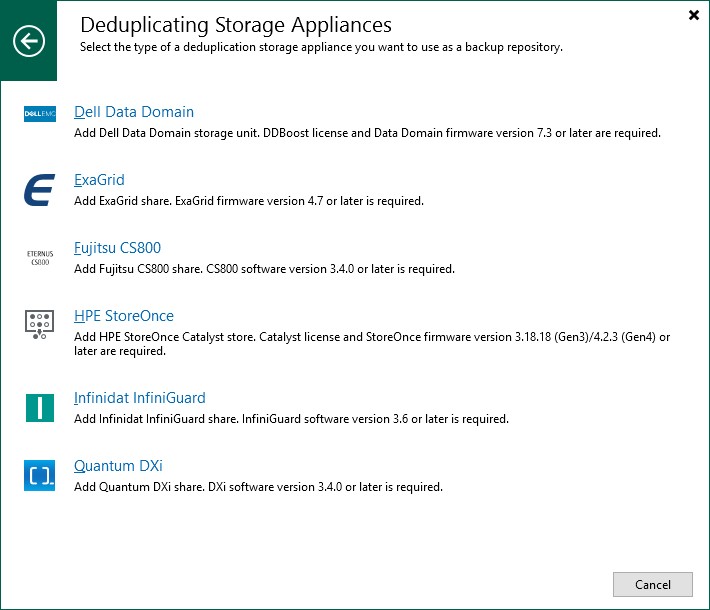
Deduplicating storage devices are specialized storage systems that minimize the amount of stored data using deduplication (identical data blocks are stored only once) and compression. They are designed for longer-term backup storage or archiving.
Individual manufacturers use their own proprietary deduplication engine, some even their own transfer protocol. Each solution is unique and has different characteristics. Comparing the entire category is not simple. Deduplication typically occurs across the entire storage, which can achieve significant space savings and sometimes also bandwidth savings (if only unique data blocks are transferred).
Types of deduplication
- inline deduplication - occurs in real-time during writing, may slow down write operations
- post-processing deduplication - original data is stored and scheduled deduplication occurs later, requires more space but can improve write performance (e.g., ExaGrid)
Ensuring immutability
Each manufacturer implements Immutability support in their own way:
- Dell PowerProtect Data Domain, ExaGrid - Retention Lock (time lock)
- HPE StoreOnce - Catalyst Immutability with Dual Authorization
- Quantum DXi - Secure Snapshot
Note: I have no practical experience with deduplication devices. I cannot assess information about performance. Generally, it's claimed that recovery from deduplication storage is slower. Some recent discussions mention that new systems (e.g., HPE StoreOnce) are now much faster and recovery is comparable to conventional storage.
Features
- performs deduplication, mostly also supports compression and encryption
- we should not use Veeam deduplication, compression (we can use Dedupe-friendly) and encryption nor Health check and defragmentation
- Forward Incremental Backup Chain with active full backup (not synthetic) is recommended, deduplication will occur
- generally, a block size of 4 MB is recommended
- possibility of automatic checking and data consistency verification (instead of Veeam Health Check)
- some systems natively support Veeam Data Mover (e.g., Exagrid, Quantum DXi, Fujitsu ETERNUS, Infinidat InfiniGuard)
- if the device cannot contain (host) Veeam Data Mover, then a Gateway server is required
- Veeam supports proprietary protocols of some manufacturers (e.g., HPE Catalyst or Dell DD Boost), which can mean more efficient transfer and data processing
- they may use their own file system, secured system clock (protection against changes)
- data transfer can take place through various protocols, custom protocol via TCP/IP or Fibre Channel, using NFS/SMB or Veeam TCP/IP protocol to Veeam Data Mover
Advantages
- higher deduplication ratio than Veeam deduplication (Veeam states that in practice it's only 30% to 40%)
- uses Forward Incremental Backup Chain, we clearly know how long the data remains unchanged (the entire Backup Chain has the same date)
- Restore Points are stored as regular files, we can copy them and work with them
- it is an Enterprise device, thus quality hardware with high availability, monitoring, RBAC, replication support
- enables efficient replication, where only deduplicated data is transferred
Disadvantages
- higher acquisition cost, the question remains how much logical capacity we get for that price
- Veeam recommends using it more for Backup Copy rather than for primary backups
- there can be an issue with slower recovery, which also means unsuitability for Instant Recovery, SureBackup, etc.
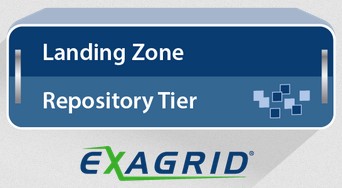
- they are optimized for sequential writing, but the problem is random reading, where rehydration must occur (this can be partially solved by Landing zone, where the last Restore Points are stored, e.g., with ExaGrid) - Performance Impacts of Deduplicated Storage Systems

Conclusion
Selecting the best technology is not easy at all, perhaps it's generally not even possible. Everything depends on specific requirements, the environment being used, and personal preferences. Both Object storage and deduplication devices also vary significantly depending on the specific manufacturer, so it's necessary to evaluate individual solutions rather than entire categories. For example, ExaGrid products are a combination of two types of devices.
Personally, I don't have a definitive decision yet. I would appreciate any additions, corrections, personal experiences, or opinions from those who actively work with these technologies. I'm happy to add more information to the article. And hopefully I'll find the optimal solution for our environment.
Specific Products
When selecting a server on which we will install a software solution, we choose its parameters (such as CPU, RAM, RAID controller). For the Backup Repository role, there are no high demands on the processor and memory size.
The main criterion is the required storage capacity. For the server, we must design the necessary type and number of disks, along with choosing a suitable RAID type. Typically, two SSD drives with RAID 1 are used for the operating system. And separate data disks, where RAID 6 with a possible Spare disk is recommended for greater resilience and capacity. An important decision is also the choice between SSD and rotational disks, which significantly affects both the price and performance of the entire configuration. In my examples, I focus on a relatively small storage capacity of 50 to 70 TB.
For hardware Appliances, it is essential to verify whether the stated capacity means raw (Raw Capacity) or actually usable capacity. Determining the necessary capacity is particularly complex for deduplication devices. Manufacturers often state very high deduplication ratios, but the real difference, compared to the currently occupied space by Veeam backups, may not be so significant.
Enterprise disk arrays are typically formed by two controllers (nodes) in a cluster for high availability. If we use a regular physical server for storage, it can have redundant components (power supply, controller, network card), but it's still a single system. Some Appliances are actually built on standard server hardware and don't offer full redundancy.
For most customers, the solution price is certainly important. However, stating specific prices for individual products is difficult. Most Enterprise device manufacturers don't publish prices. For some manufacturers, it's possible to get significant discounts from the global (official) price list. The final price always depends on specific conditions, so it's usually necessary to contact a supplier with an individual inquiry.
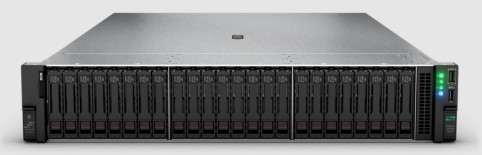
HPE ProLiant DL380 Gen11
- Managed Hardened Repository
- Object Storage - Scality ARTESCA
- HPE ProLiant DL380 Gen11, QuickSpecs
- Storage Servers - Veeam Ready - Hardened Appliance, Immutability
- Rackmount Server, size 2U
- processor Intel Xeon Silver 4509Y (8 cores), memory 64 GB DDR5
- HPE NS204i-u NVMe Boot Device 480 GB (RAID 1)
- HPE MR416i-p SPDM Storage Controller
- HDD variant
- 8x 12TB SAS 7,2K LFF
- usable capacity 72 TB (RAID 6)
- SSD variant
- 10x 7,68TB NVMe Read Intensive SFF
- usable capacity 61 TB (RAID 6)
- integration with Veeam using Veeam System Services / S3 API
- Immutability using the XFS file system and the Immutable flag / S3 Object Lock + S3 Versioning
HPE Alletra Storage Server 4110
- Managed Hardened Repository
- Object Storage - Scality ARTESCA
- HPE Alletra Storage servers 4000, QuickSpecs
- Alletra Storage - Veeam Ready - Hardened Appliance, Immutability
- Rackmount Server, size 1U
- processor Intel Xeon Silver 4410Y (12 cores), memory 64 GB DDR5
HPE StoreOnce 3660
- Deduplicating Storage Appliance
- Data Protection HPE StoreOnce, HPE StoreOnce 3660 80TB Base System
- StoreOnce w Catalyst - Veeam Ready - Deduplication Repository
- Rackmount Appliance, size 2U
- usable capacity 56 TB (expandable up to 200 TB)
- storage space SAS disks, RAID 5 or 6
- integration with Veeam using the HPE StoreOnce Catalyst protocol (adding Catalyst store), requires Gateway server, communication can be via TCP/IP or Fibre Channel protocol, also supports SMB and NFS
- Immutability using Catalyst Immutability + Dual Authorization
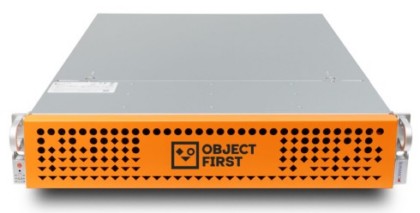
Object First Ootbi 64
- Object Storage
- Ootbi by Object First Data Sheet: Key Benefits and Specifications
- Object First Ootbi - Veeam Ready Object, Immutability, IAM & STS, SOSAPI
- Rackmount Appliance size, size 2U
- usable capacity 64 TB (models 64, 128 and 192 TB)
- storage space SAS disks, RAID 6, Spare disk, works with standard block size of 1 MB
- 2x 240 GB SSD (RAID 1) for OS, 10x 8TB SAS HDD (RAID 6, 1 Spare disk) for data, 1.6 TB NVMe cache
- designed for Veeam, quick configuration, we can create a cluster of up to 4 nodes
- integration with Veeam using S3 API
- Immutability using S3 Object Lock + S3 Versioning
Scality ARTESCA
- Object Storage
- Scality ARTESCA
- Scality ARTESCA - Veeam Ready Object, Immutability, IAM & STS, SOSAPI
- storage space uses Erasure Coding for data disks, works with standard block size of 1 MB
- configuration guide for Veeam, 5 levels of cyber protection (CORE5), we can create a cluster of up to 6 nodes
- news announced at VeeamON 2025 joint deployment ARTESCA+ Veeam (Kubernetes containers)
- integration with Veeam using S3 API
- Immutability using S3 Object Lock + S3 Versioning
- software only, licensed by usable capacity, minimum 50TB
Dell PowerProtect Data Domain 6410
- Deduplicating Storage Appliance
- PowerProtect DD6410 Backup Appliance
- Dell Data Domain Virtual Edition - Veeam Ready - Deduplication Repository
- Rackmount Appliance, size 2U
- usable capacity 12 to 256 TB
- storage space SAS disks, RAID 6
- integration with Veeam using the DD Boost protocol (adding DD Storage unit), requires Gateway server, communication can be via TCP/IP or Fibre Channel protocol, also supports SMB and NFS
- proprietary file system, secure system clock, automatic checks and verification of data consistency
- Immutability using Retention Lock
ExaGrid EX36
- Deduplicating Storage Appliance
- ExaGrid Product Line
- Exagrid with Data Mover - Veeam Ready - Deduplication Repository
- Rackmount Appliance, size 2U
- usable capacity 72 TB (models 20, 40, 72, 108, 162, 168, 270, 378 TB)
- storage space SAS disks, RAID 6, Spare disk
- space is divided into Landing Zone (backups of the last week in native format) and Repository Tier (deduplicated data)
- integration with Veeam via Veeam Data Mover on ExaGrid Appliance (adding ExaGrid share), also supports SMB, NFS and S3
- combines advantages of regular storage and deduplication device, we can use Veeam deduplication
- Immutability using Retention Time Lock
NetApp AFF C30, NetApp FAS2820
- Object Storage
- NetApp AFF C-Series, NetApp FAS storage
- NetApp ONTAP S3 - Veeam Ready Object
- Rackmount Appliance, size 2U
- two examples of storage with NetApp ONTAP, first with SSD disks (All-Flash Array), second with rotational disks
- I found that ONTAP has Veeam Ready status only for object storage, but not for Immutability (according to discussions it works, but may not be ideal) unlike NetApp StorageGRID
- storage space we can use RAID 4, RAID-DP, RAID-TEC, Spare disk
- disk array is formed as a Cluster of two nodes (HA Pair), which ensures high availability, we can expand, supports block, file and object access
- example AFF C30 - 8x15.3TB SSD, capacity 66 TB, FAS2820 - 12x 10 TB HDD, capacity 67 TB
Pure Storage FlashBlade//S100
- Object Storage
- Pure Storage FlashBlade//S Data sheet
- Pure Storage FlashBlade//S - Veeam Ready Object, Immutability
- FlashBlade//E targets large customers with PB capacity, FlashBlade//S offers storage from 110 TB, it is an All-Flash Array
There are no comments yet.